About Stu Kushner

Stu Kushner began his career at Boeing Commercial Aircraft and then on to Hexcel and Case/Rixon where he specialized in CAD/CAM (computer design and robotics). In 1986, he started Progressive Office. The earliest years were about networking small businesses and providing IT support. But since 2008, the company has concentrated exclusively on providing office network cabling solutions.

Network Cabling Data Cabling Cat5e Cat6/6a Cabling

Cabling Tips for Security Cameras

11 Nov 2023

CablingNetwork Cabling, Data Cabling, Cat5e, Cat6/6a Cabling,security system is definitely not the showy part of any security system. Nevertheless, it is an essential component of the system. It may seem complicated. There are many considerations in choosing and installing cables to ensure that the security system functions properly. Cables basically provide power for camera installation and transmit signals going back to the digital video recorder (DVR).


Deciding on the Perfect Cabling


Find out whether the system is analog (alternating current frequency has been modified) or digital (electronic technology). Then, you can figure out the proper cable for installation of your security cameras. Or simply refer to the manufacturing specs on the camera system.


The second step is to determine if your camera is powered remotely or connected to a nearby power outlet. It may be necessary to combine power and video cables. Security power and video cables can run next to each other or within one cable jacket. This makes installation easier by pulling one instead of two separate wires.


Make sure to test the cable before you install the CCTV. Examine each cable at the DVR position just to make sure that the cables are working prior to installation.


Cabling Guidelines


Quite often security cameras require coaxial cables to send video from the camera to your recorder. With the RG59 type of coax cable, it is possible to position the camera up to 600 feet away. The RG6 coax cable, on the other hand, may be extended up to 1,000 feet. Cut the cable according to your preferred length but leave an extra service loop of 10 – 20 feet for future flexibility.


What are the steps to follow?


  • Make the necessary BNC connection on the cable. This is a small quick round connector primarily for coaxial cables.

  • Plug one end of the BNC cable to the camera and the other to your DVR.

  • Strip the shield of the power cable to expose the black and red wires. Then, remove the jacket (at least ¼ inch) from each wire.

  • Put the wires inside the terminal block at the end of the female power wire plait. It should be red on red wires and black on black wires. Tighten screws on the terminals. Plug the camera into the fitting at the side of the braid.

  • Attach wires directly to the positive and negative leads respectively in the power box. Red wire is for positive while black is for negative. This is applicable if you will connect the camera to a multiple camera power supply unit.

  • In case you will attach the camera to a single power unit, connect the male power wire braid as well as power supply to the tip of the tress.


Now, the installation is complete and you are ready to use the system.


Structured Cabling,Washington DC New York City

Basics of Riser Cables

6 Mar 2015

Structured Cabling,Network Cabling Data Cabling Riser cables were designed for non-plenum vertical applications like between the floors of multi-story buildings. They are also described as backbone cables. These cables serve as the main conduit of a distribution system for data, video or voice. It originates from the point where communications go in through a particular edifice.  This cable comprises part of the structure backbone. Other components of this facility are the cable corridors, telecommunications cabinets, equipment rooms, correlated hardware, and support facilities. This cable variety must be fire resistant in accordance with electrical codes. Nonetheless, specifications are not as stringent compared to plenum cables.


Understand its Uses


Riser cables may be used for different forms of data communications which also includes CCTV video access. It is ideal as well for voice communications. One major concern is that requirements vary for each service. Hat is why planning can sometimes be quite complicated. Building managers are often pressed to predict their requirements given limited time and expertise. Quite often they will recommend creating split riser systems for multiple applications which follow parallel routes through the corridors, closets, and equipment areas.


How do you select the medium?


Perhaps, the primary concern is to stay within budget.  You can expect system designers to resort to trade-offs in delivering a broad assortment of services within the backbone system. Other factors that may influence their design are the following:


  • Provide an adaptable medium in relation to supported services

  • Identify the necessary useful life span of backbone cabling

  • Consider the technical needs of users


Standards are on hand to serve as a guide in the design of riser cable systems. There are appropriate benchmarks for optical and copper cable backbone structures. Some of the backbone cable categories include:


  • Copper-shielded and unshielded twisted-pair or UTP cables

  • Coaxial and twin axial cabling configurations

  • Single mode and micron multimode optical fibers


Physical locations supporting riser cables take into consideration the telecommunications service entrances and adjacent equipment rooms containing the main cross-connect. This can extend to the telecommunications closets that serve a particular location, intermediate cross-connects that serve a number of telecommunications closets, or horizontal cross-connects for a remote telecommunications closet or just one level of the building. The telecommunications cabinet is the point of interaction between backbone systems and parallel (same floor) wiring.


Riser cable systems in multiple-story buildings need to pass through equivalent closets making use of connecting conduits between the floors. Said design provides each floor access to the backbone and allows circuits to be distributed to all levels. The conduit and sleeves should go higher than the floor level by at least an inch and fitted with fire-stopping material. These should also adhere to electrical codes. The riser or backbone cable system essentially acts as the core of telecommunications infrastructure.


Data Cabling,Structured Cabling, Cabling Design-Washington DC

Things to Avoid in Running Network Cabling

28 Feb 2015

What can cabling that has not been installed properly do?


network cabling,Data CablingIt can lead to a lot of negative outcomes such as paralyzed network performance, maintenance troubles and hidden costs. Network cabling can be  especially troublesome if it is installed by individuals without the proper knowledge and tools. When it comes to twisted pair cabling, there are many factors that you need to consider.
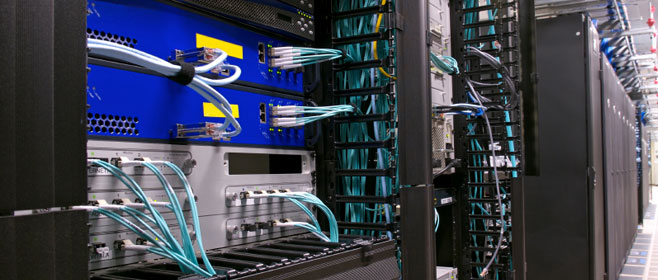

In the past, many companies installed different cable systems since twisted pair cabling was expensive. At present, full installation is still costly although a greater part of the expense is labor since raw cables is not pricey. Cable management is another concern.

Read More

Structured Cabling, Cabling, Washington DC

Practical Pointers in Network Cabling

20 Feb 2015

StructuredCablingFiberOpticsCat6a10GigNetworking cabling is not a simple task. It entails expertise and attention to detail. What are valuable insights that network technicians need to know about for effective cabling and installations?


Cable length is essential.


The telecommunications standards prescribed by the Telecommunications Industry Association and Electronic industries Alliance (TIA-EIA) states that maximum distance end to end of cables should be no more than 100 meters.

Read More

CAT 6a,network cabling, DC

Designs of Optic Fiber Cables

12 Feb 2015

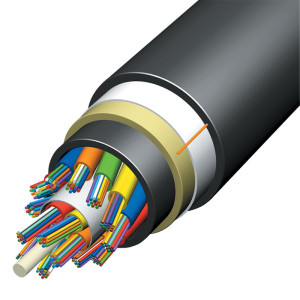
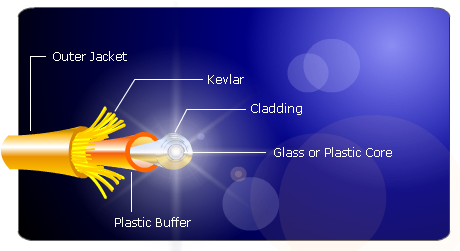
network cabling,Data CablingmOptical Fibre CableOptical fiber cabling is made up of a fiber core and a protective layer. The shield is typically coated with a polymer. It protects the cable from damage and does not contribute to optical wave guide properties. The coated fiber is a durable synthetic resin serving as a support for the cable’s core. Protective jacket layers are added depending on the cabling application.


Fiber over Copper


Fiber has benefits over copper. Fiber optic transmission does not emit Radio Frequency Interference or RFI. This guarantees secured communications since light waves can't be easily intercepted. On the contrary, copper wires give off signals that interfere with other electronic equipment. That is why utility firms now run power lines with fibers

Read More

Structured Cabling,Office Cabling

Cabling Pointers for Effective Data Center Management

5 Feb 2015

Structured Cabling,Office Cabling,datac enterThe data center supports the lifeblood of corporate enterprises. Communications stop due to the malfunction of this facility. Unfortunately, multiple issues can affect the data hub and incorrect cabling can be one of them. Planning is the key to boosting the efficiency of data center cabling.


 Here are some things to consider:


  1. Measure cables with care. Otherwise, you produce a twisted “rat's nest” and an unnecessary waste of money.

  2. Put a label on both tips of your cables which include patch and short runs. This will be useful if you need to test a cluster of circuits. It will not be confusing if you unplug several patch cables. You know where each single cable is connected. The marking system must be consistent at all times.

  3. Never rush on termination of cables. And redo in cases where cables lose connectivity. Avoid purchasing and using cheap products. You will end up spending more in the long-term.

  4. Test the cables first and make sure it passes the mark for continuity.  If not, you have to do it all over again. And always use a high-quality tester to avoid unwarranted work.

  5. Patch cables must be kept short. Remember that rack servers are only one foot away from each other. Patch cables with a length of three feet are definitely not appropriate. Combine testing and terminating capabilities to make sure that patch cables connect accurately. Additional lengths will cause a lot of twisting.

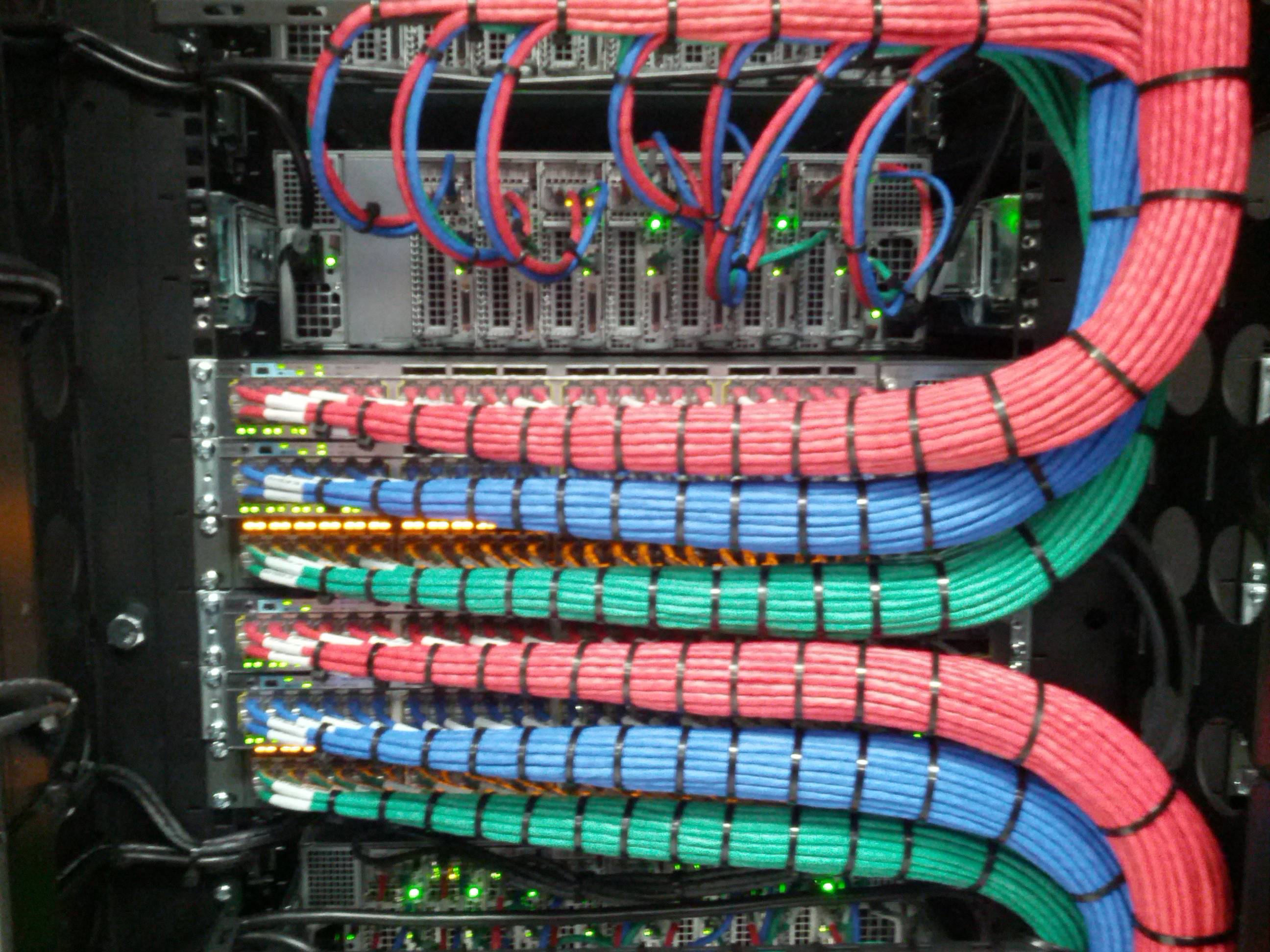
  6. Come up with a color coding technique. A single color is ideal for patch cables and cable runs. However, it is possible to utilize specific color cables for specific purposes. Avoid random colors. It will be easier to follow cable functions and resolve problems if your color has a purpose. Blue for data, white for voice is a common standard.

  7. Your design must be cable-friendly. Do not put a rack in a place where it is not possible to run your cable effectively. You may end up with cables dropping from the ceiling or scattered on the floor. Expansion should also be in your planning so you know when and how to make adjustments.

  8. Separate electric wires from Cat5/6 cables. Power lines can distort communications. The effects will be to have connection and data transmission issues that can result in data corruptions.

  9. Be careful about excessive temperature. Make sure that the cables are cool and not hot since this can result in cabling decomposition. The data center should be designed in a way that servers and networks are always at a comfortable temperature.


If you need help in designing your structured data cabling system, please feel free to call or contact us. We do free cabling site proposals.

Data Cabling ,Cat5e ,Cat6/6a ,Cabling ,Structured Cabling

Network Infrastructure Planning

28 Jan 2015

What is a network?Full_Network


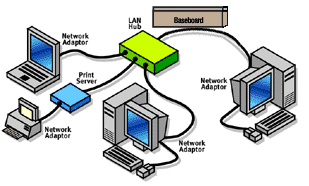
The network is classified as a group of hardware and software components that connect devices within a company and link that entity to other companies in the world-wide web. The hardware for networking consists of network interface cards, computers, routers, switches, patch panels and cables. Software refers to network services and protocols that facilitate communications. The hardware components should be installed and configured before the software and operating systems are initiated. Network communications serve as the core foundation of the whole system. It makes up the services that build the network’s framework. The key is to determine the infrastructure based on the objectives that you have set so the architecture can scale up as a companies needs grow.


The Operating Systems


Begin by understanding the current setup. This will allow you to establish how to plan for your operational targets and objectives. Draw a full map of the current network. Include these all cabled connections, server information, location of devices in the network, and all of the users.  Complete this inventory first. Then, proceed with reviewing all available information in combination with the future goals. This will enable you to fully understand the required changes needed for deployment.


The operating systems or OS installed on computers make up the primary software components in a cabling infrastructure. The OS contains protocols that facilitate network communications. It also consists of applications and services that secure the data. Conventional features include connectivity, security, control of access, and routing/switching functions. There should an existing network before installing servers to support applications. These consist of file, print, web, messaging, application, and database servers.


Meticulous Planning


  • Document the physical hardware and software components

  • Decide on the actual location of each components.

  • Determine configuration requirements.

  • Buy, assemble and mount the hardware.

  • Install and configure your OS, apps as well as other software.


Be sure to understand the network’s physical design. If there are multiple heavy or data intensive workloads, servers will need more bandwidth and connections to deal with the data traffic. Network resources need to  allocated among the numerous applications which mean that vital applications can affect performance considerably. Planning becomes an integral component of development and should be specific to the business plans.


Keep track of existing workloads and use performance results as a reference. There should be proper tests to determine the performance of your network. Speculation is not advisable because that can cause mistakes and overspending.


As always, Progressive Office is available to assist with project planning. Please call or email us anytime.


Structured Cabling,,Office Cabling.connectors

Important Facts About Cabling Infrastructure

23 Jan 2015

NetworkStructured Cabling,,Office Cabling.connectors cabling that has not been installed properly may result in various communications issues. Even minor problems such as a connector that has not been terminated properly can prevent Power over Ethernet from performing well.


Wiring Standards


See to it that you use appropriate wiring patterns which are T568a and T568b. Refrain from bringing together T568a and T568b in the same cable. And always use premium quality Cat6 or Cat5e cables. We prefer solid over stranded wire.

Read More

Structured-Cabling,Data Cabling

Essential Issues in Design of Structured Cabling Systems

13 Jan 2015

Structured-Cabling,Data CablingStructured cabling systems (SCS) refers to the local area network  cabling system designed exclusively to fit a company's requirements. It combines data, voice, video, and management systems sometimes including alarm and security. SCS insures that all of this information is transmitted promptly and efficiently. The structured cabling system normally includes transmission products with engineering design rules that create a stable transmission system.


Network Foundation


The structured cabling system is said to be the groundwork of a successful building and office setup. It is also the fundamental foundation on which all other equipment relies on.

Read More

Structured-Cabling,Data Cabling

Common Blunders to Avoid

7 Jan 2015

CableStructured-Cabling,Data Cabling,fiber-optics networking has evolved a great deal. It is now mandatory for companies to invest in structured cabling systems that can support a complex operation. That is why many corporations have shifted to fiber optic communications from the traditional copper cabling systems. However, it is important to plan the infrastructure carefully and anticipate some problems that may come along the way.


Replacement in Stages


Doing everything hastily and simultaneously is a problem.
Read More
1 21 22 23 24 25 39