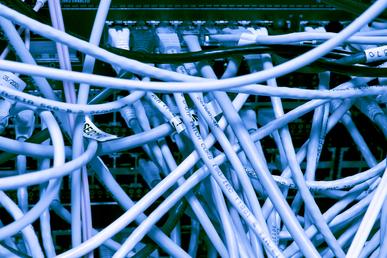
 A magnetic field when running low voltages. Unfortunately, when this unshielded cabling creates a magnetic field created. Any electrical cabling bear by disrupts communication, slowing transmission or preventing Network cabling is a tricky. Even with a solid background, technicians without adequate knowledge and training can make mistakes that may shut down an entire system. Here are some typical mistakes seen in network cabling.
Plan for the Future. Cat5 may be the cheaper option, but can cause problems when upgrading is needed. Install Cat5e or Cat6 cables with options for upgrades to save labor costs.
Don’t Mix and Match. Twisted pair cabling was often out of the price range for many companies, so priority was given to data, while voice had with cheaper cabling. Now, VoIP has made voice equal to data in importance and need. Fortunately, a typical VoIP phone has a built-in Ethernet connection or pass-thru that is compatible with almost any data cable, which decreases installation costs.
Don't put Electrical Cables Next to Data Cables. Data cables use twisted pairs of wires inside that help produce transmissions altogether. This generally happens when the cables are running parallel, so if your cable is near a power line, lay them perpendicular to the power line.
Not Laying New Cable When You Need To. Ethernet switches are convenient, but can be misused. Mini-switches are often added to provide a few extra ports; but this can cause bottlenecks and instability. Add extra cable instead, if more network resources are needed.
Forgetting Cable Management. “Ladder racks” add extra cost to an installation, but they also make the installation look better, run better, and easier to maintain and update. Also, don't forget to color code or label your cables, so technicians can actually find the right cable later.


 Traditionally computer network designers developed their systems with the assumption that they will operate on a specific type of cable using a specific type of connector. Thus, each manufacturer has its own cable and connector "standard," but that standard was for their own system only. For example, here are some “standard” cable/connector systems in use: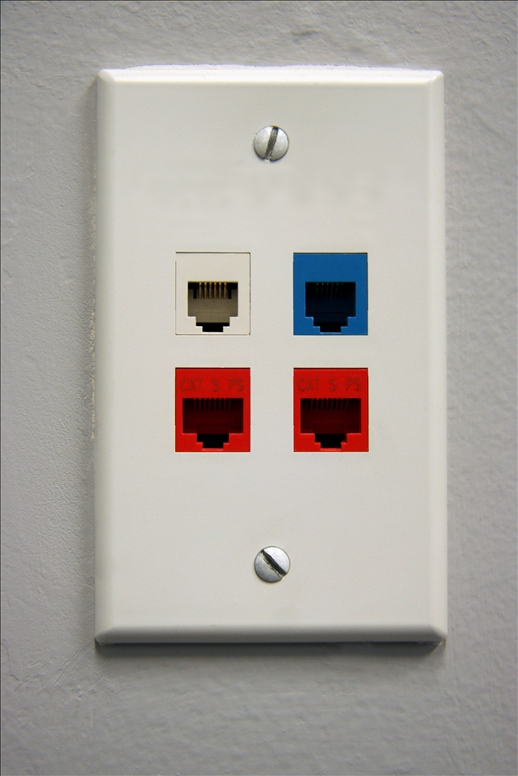
 Results from a collaborative research study by the Continental Automated Buildings Association (CABA) has found that the concept of a “connected