Computer Network Patch Panel
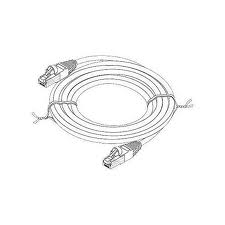
A patch panel is an in-line series of connections mounted onto a frame to enable network cables to be terminated in an orderly manner. Typically, the panel is the termination point of network cabling drops that are installed in a office or residential cabling system.It is numbered and comes in 12-port, 24-port, 48-port and 96-port configurations. The numbering of the panel ports allows for the network installer to label the wallplates to match the corresponding connection at the patch panel.
Patch panels are most commonly used for computer data networks but as Voice Over Internet Protocol (VOIP) phone systems become more common, we are seeing phone systems being terminated into panels. They are wall or rack-mounted. In small offices, a 12 or 24-port patch panel might be wall-mounted to a wooden mounting board. Larger office networks will usually require a rack mounted series of panels.
The patch panel comes in Cat5, Cat5e and Cat6 types to match the cable being installed. The connections on the panel are RJ45 that are designed to allow for a cable to "punch-downed" into the connector. The connector has 8 punch down points to accommodate the 4-pairs of wires in a Cat5/6 cable.


Increased speed, higher energy transfer and bi-directional data transfer promises to help bring a lot of new product ideas for your computer and other USB 3.0 devices. Maybe you can even take a USB 3.0 Flash Drive to your Redbox and plug it in and get a movie. The possibilities are endless and exciting!
I thought I would throw out my two cents on the release of Windows 7. It is tomorrow, October 22. I have been working with it for the past few months and think that it is 90% better overall than Windows Vista. I will not go into the myriad of reasons except to say that it is considerably more compatible with XP and some of the older applications and peripherals than Vista was. Microsoft went so far as to design a copy of Windows XP into Vista so that you can literally run XP inside your Win7 computer simultaneously just in case you have a very antiquated application that absolutely, positively will not work on anything
except XP (also for those that are afraid to commit to a newer operating system). 
Today I was contacted by a potential customer that has an HP OfficeJet Pro 8500. He wrote that the printer is displaying a paper jam error message and that it seems to have a broken gear inside but that there is no evidence of paper actually jammed in the printer. The printer costs $300 to replace and he is concerned about the costs of repair.
I have been watching the television advertising and also reading print ads and I have noticed an interesting phenomena. Microsoft is advertising that it's new Windows 7 operating system is very very good. They are trotting out good reviews and smiling babies. I also read recently that part of the reason that the umpteenth version of Windows is going to be great is because hardware manufacturers are preparing the new device drivers and that they will be ready before the operating system is released.
I used to use Microsoft Internet Explorer as my browser but I stopped a few years ago. I switched to Firefox because I had heard that it was a very good browser and it is free. The switch was painless because it transfered over all of my bookmarks and it is a very good browser. I imagine both browsers have a lot of the same features. I think the pressure of Mozilla has made Microsoft compete in a way that they are not used to. But what I will summarize what I like best about Firefox that keeps me using it...
How has Microsoft has been able to eliminate so many of their competitors in so many of the most lucrative application areas? My theory is that they use their intimate knowledge of the