Backbone wiring is the cabling used to interconnect between telecommunication closets, equipment rooms and buildings.

A
19-inch rack is a standardized frame or enclosure for mounting multiple equipment modules. A frame style, open rack (see image to the right) would have outer posts but no front or side panels. An enclosed rack has sides and a door for security and usually includes ventilating fans to keep equipment cool. Enclosures are much more expensive than open racks.
Racks have a front panel that is 19 inches wide, including edges or ears that protrude on each side which allow the shelves, switches and patch panels to be fastened to the rack frame with screws.
Rack Unit or
U is a unit of measure that describes the height of equipment to be mounted in a computer equipment rack. One rack unit is 1.75 inches (44.45 mm) high. The size of rack-mounted equipment is described as a number in "U". For example, one rack unit is referred to as "1U", 2 rack units as "2U" and so on. A typical full size rack is 42U, which means it holds just over 6 feet of equipment.
 Wall Plates
 are the metal or plastic covers that house the network connection jack. Wall plates are flush-mounted on office and residential drywal surfaces.
RJ45 Connector is the modular connector that is found at the end of a network cable. It is similar in look functionality to a phone connection

but it is larger in size and it has 4-pairs of wires rather than the 2-pairs that are found in a phone line.
Jacks and Inserts are the actual connection at the wallplate. They are often color coded to distinguish the different connections such as voice and data.
Patch Panel is a series of 24, 48 or 96 RJ45 network connectors on a
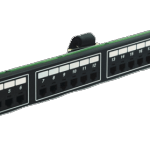

panel. The patch panel is the hub of all incoming workstation network connections.
Patch Cable is a network cable with RJ45 connectors at each end that create the connection from the wallplate to the computer and also from the patch panel to the switch.
Horizontal wiring encompasses all cable from a wallplate network connection to the wiring closet. The outlets, cable, and cross-connects in the closet are all part of the horizontal wiring.
Wiring closet is an enclosed area, such as a room or cabinet, for containing network, telecommunications equipment, and cable terminations. Each building must have at least one wiring closet.
 Equipment room
 is the space that houses the office network and telecommunications systems such as PBXs, racks, servers, and the mechanical terminations of the cabling system. Larger facilities often have Equipment Rooms rather than Wiring Closets.
Cabling administration is a process that includes all aspects of premise wiring related to documenting and managing the system, testing the system, as well as the architectural plans for the system.
Click here to go to a page that will put you in touch with us. Answer all of the questions that you can and we will get back to you with a quote.





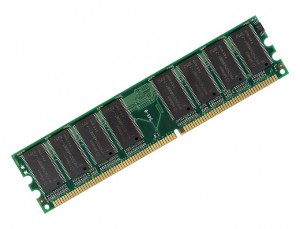 Scenario: PC is 3 or more years old and still running well. You demand a lot from it. Sometimes you have 4 or more Windows applications open at a time. It feels a bit sluggish and takes too long to open a program.
 I opened my Facebook account and just for fun I clicked on my "Chat" button (in the bottom right corner). I noticed that there are a lot of my bestest friends and family logged in. And, so I began to think that maybe Facebook could replace Yahoo/Windows/AOL Messengers. What is more social than chatting?
 I really don't understand why Microsoft keeps developing new operating systems. Windows is windows and each new version is loaded with bugs. And it usually comes out just as the previous version is becoming stable. Why does Microsoft do this? As a reseller, consultant and end-user, Microsoft has an impact on my business on a lot of different levels. I sell and support their products and I also use them. And as a user, I am very unhappy with the lack of innovation that comes from Microsoft. Like AT&T, we need Microsft to be split up so that competition and innovation can flourish.
 Spyware is usually defined as a type of malware (software that gathers information from a computer without the user's knowledge or consent). Some spyware applications may also be deliberately installed and often contain advertisements, window pop-ups or different types of unpleasant software. Ideally, spyware and other malware should be prevented from intruding.

 Category 6 cable, commonly referred to as Cat6, is a cable standard for Gigabit Ethernet and other network protocols that is backward compatible with the Category 5/5e standards. Cat6 features more stringent specifications for crosstalk and system noise. The cable standard provides performance of up to 250 MHz and is suitable for 100BaseTX and 1000BaseT (Gigabit) Ethernet.
  technical advances in digital measurement. It defines the job, makes the tests, prints results and stores data. Our Validator-NT measures and presents fast, clear speed and performance results up to 1 Gigabit.
 Category 5 cable includes four twisted pairs in a single cable jacket. This use of balanced lines helps preserve a high signal-to-noise ratio despite interference from both external sources and other pairs. It is most commonly used for 100 Mbit/s office computer networks, such as 100BaseTX Ethernet, although IEEE 802.3ab defines standards for 1000BaseT - Gigabit Ethernet over category 5 cable.