About Stu Kushner

Stu Kushner began his career at Boeing Commercial Aircraft and then on to Hexcel and Case/Rixon where he specialized in CAD/CAM (computer design and robotics). In 1986, he started Progressive Office. The earliest years were about networking small businesses and providing IT support. But since 2008, the company has concentrated exclusively on providing office network cabling solutions.

Network Cabling Data Cabling

How to Install a Patch Panel

27 Jun 2013

The process of installing a patch panel onto a wall begins with the preparing the wall to hold the rack. Most offices have drywall walls. Sometimes the walls are concrete if they lie along the structural boundaries of the building. This installation involved mounting the patch panel onto a wall that is drywall on top of concrete.


The photos below will illustrate what is involved in mounting a rack that holds the patch panel and switch.

Read More

network cabling, data cabling

Perfect Patch Panel Installation

4 Jun 2013
This project involved installation of 28 double drops into two 48-port patch panels. Each wall plate has two connections with one dedicated to data and the other dedicated to voice. Price Benowitz has a lovely office at 409 7th Street, NW. The building is historic but renovated into a modern office. So, the drop ceilings and hollow walls facilitated a straight-forward installation of the Cat5e network cabling system.
Read More
Network Cabling, Data Cabling ,Cat5e ,Cat6/6a Cabling

RJ-45 Connectors Made Easy

18 Apr 2013
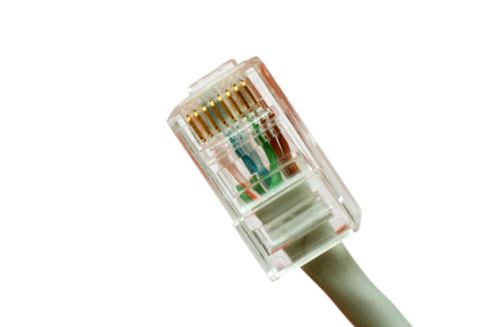
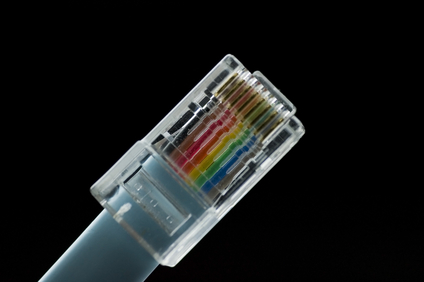
 Network Cabling, Data Cabling ,Cat5e, Cat6/6a CablingWhat is the difference between a Cat5 and a Cat6 RJ45 connector?

The easy answer is:  they are both cable connectors with a standard network plug and socket, often called an “Ethernet jack”.

Cat 5 and Cat 6 are UTP, or Unshielded Twisted Pair cables.  The difference defines the cables as Category (Cat) 5 or Cat 6 UTP cable. Both are terminated by RJ45 connectors.
Read More
Network Cabling,data cabling,,DC

Cabling Issues

11 Apr 2013

data cabling,,DCOne of the most important things about cabling is to purchase cable not just for what you’re using now but for what you may run in the future.   A rule of thumb is to install the highest-grade cable that your budget allows.


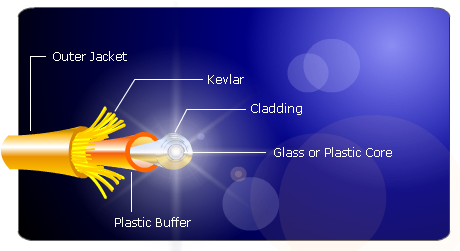
The standard is Ethernet. That means there are two basic types of cables to use: copper Ethernet and fiber optic Ethernet. Copper Ethernet cabling is generally used to connect the data center equipment to the end-user, while fiber optic cabling is used to network the infrastructure and to

Read More

Network Cabling, Data Cabling ,Cat5e, Cat6/6a Cabling

Basic Structured Cabling

4 Apr 2013
Cables,Network Cabling, Data Cabling, Cat5e ,Cat6/6a Cabling

"Structured cabling” is a complete system of cabling and associated hardware which creates a telecommunications infrastructure. This infrastructure can serve a range of tasks, such as providing telephone service or data transmission through a computer network.

Every cabling system is unique. Variations in the structure of the facilities housing the installation, the specific cabling and connections needs, use and function, as well as customer needs requires standardization to ensure acceptable system performance from increasingly complex systems. The American National Standards Institute (ANSI) is the responsible organization
Read More
Washington DC,Network Cabling, Data Cabling

Network Cabling Issues

31 Mar 2013
Network Cabling, Data Cabling ,Washington DCA major part of creating a viable network involves the installation of a cabling system. A solid cabling system is a good investment that will not only meet your current networking needs, but will last through your next-generation network as well.

Modern Ethernet networks follow a “star topology”, where each device on the network connects its own cable to a hub. In a single room
Read More
IT Support,Data Cabling,Atlanta GA

A Guide to Network Cabling

22 Mar 2013

Cat 6While WI-Fi and other wireless network technologies have improved greatly over the years, nothing beats the reliability and performance of a wired network in your home or business. One challenge that people face is what kind of cable they need for their needs.


Although there are dozens of network cable types, the fact is only 3 types of network cable is commonly used in home and small business networks: Category 3 (Cat3), Category 5 (Cat5), and Category 6 (Cat6).

Read More

Structured-Cabling,Data Cabling

What is “Structured Cabling”?

14 Mar 2013

Structured-CablingStructured cabling is a telecommunications cabling infrastructure consisting of a number of standardized smaller elements called subsystems.


Structured cabling falls into five subsystems:

  1. A Demarcation point is the connection point where the telephone company network ends and the customer’s on-premise wiring connection begins.

  2. Equipment or Telecommunications Rooms contain equipment and wiring points that serve the users inside a building.

  3. Vertical or Riser Cabling connects between the equipment/telecommunications rooms on different floors.
    Read More
Network Cabling ,Data Cabling

What is “Alien Crosstalk”?

8 Mar 2013

 Network Cabling, Data CablingNo, it’s not ET calling home. “Alien Crosstalk” is defined as “unwanted signal coupling from one balanced twisted-pair component, channel, or permanent link to another”.


Alien crosstalk is not generally affected by common noise from motors, transformers, or florescent lighting fixtures. Alien crosstalk is specified as “a parameter for cabling to approximate the energy present when all cabling pairs are energized”.

Read More

Network cabling,Office Cabling in DC

Ethernet Wiring for Home Networking

1 Mar 2013

Network cabling,Office Cabling in DCAlthough “Wifi" is simpler for a lot of people, due to multimedia sharing, bandwidth on some  home networks, some users  really want a hard-wired home networking solution. A wired network allows a private, high speed, network at home for Internet access, file sharing, media streaming, online gaming (console or PC), IP security cameras, or other standard Ethernet type wiring use.


There are certain design considerations that need to be addressed based on needs.  Answering these questions will affect quantities, tools and materials needed.


The basic questions are:


  1. Which room(s) do I want wired?

  2. How many ports do I want in each location?

  3. What is a good location for distribution?

    If the internet comes over a cable into the house move the cable modem there so  it will be able to supply internet access to the entire network.  Another consideration is the amount of space needed to hold the network equipment.


  4. What path should the cables take?

    This is the most difficult consideration. For single floor homes the basement may be the best path. For multi-story homes you have to be creative. Outside may be an option or use an old laundry chute. The other consideration is cable length. The max cable length for up to gigabit speeds over copper UTP cabling is 100 meters (300 feet). This should be plenty for most home applications.


  5. What network speed do I need?

    This will determine what kind of switch to get. 10mbps is faster than most home internet connection.  If you just “surf” the internet, use a 10 megabit switch. If you are planning on sharing multimedia over the network 100 megabit switches are available and reasonably priced. If you must have the fastest, go with a Cat6 Gigabit cable.


1 26 27 28 29 30 39