RJ-45 Connectors Made Easy
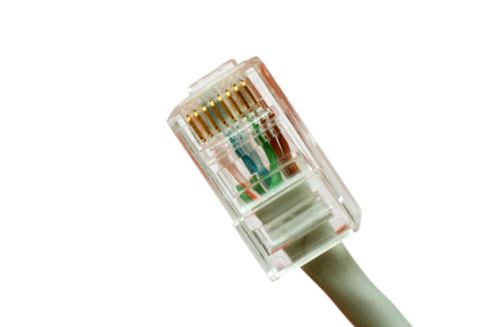
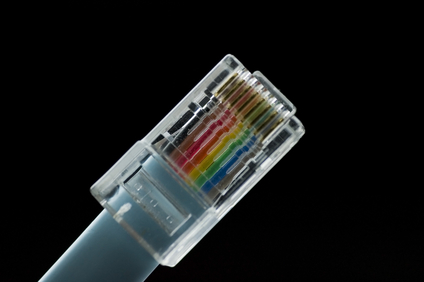
What is the difference between a Cat5 and a Cat6 RJ45 connector?The easy answer is: they are both cable connectors with a standard network plug and socket, often called an “Ethernet jack”.
Cat 5 and Cat 6 are UTP, or Unshielded Twisted Pair cables. The difference defines the cables as Category (Cat) 5 or Cat 6 UTP cable. Both are terminated by RJ45 connectors.

Cabling Issues
One of the most important things about cabling is to purchase cable not just for what you’re using now but for what you may run in the future. A rule of thumb is to install the highest-grade cable that your budget allows.
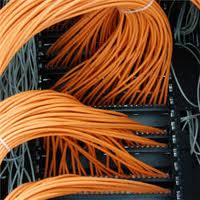
The standard is Ethernet. That means there are two basic types of cables to use: copper Ethernet and fiber optic Ethernet. Copper Ethernet cabling is generally used to connect the data center equipment to the end-user, while fiber optic cabling is used to network the infrastructure and to

Basic Structured Cabling

"Structured cabling” is a complete system of cabling and associated hardware which creates a telecommunications infrastructure. This infrastructure can serve a range of tasks, such as providing telephone service or data transmission through a computer network.
Every cabling system is unique. Variations in the structure of the facilities housing the installation, the specific cabling and connections needs, use and function, as well as customer needs requires standardization to ensure acceptable system performance from increasingly complex systems. The American National Standards Institute (ANSI) is the responsible organization

Network Cabling Issues
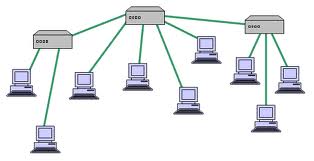
A major part of creating a viable network involves the installation of a cabling system. A solid cabling system is a good investment that will not only meet your current networking needs, but will last through your next-generation network as well.Modern Ethernet networks follow a “star topology”, where each device on the network connects its own cable to a hub. In a single room

A Guide to Network Cabling
While WI-Fi and other wireless network technologies have improved greatly over the years, nothing beats the reliability and performance of a wired network in your home or business. One challenge that people face is what kind of cable they need for their needs.
Although there are dozens of network cable types, the fact is only 3 types of network cable is commonly used in home and small business networks: Category 3 (Cat3), Category 5 (Cat5), and Category 6 (Cat6).

What is “Structured Cabling”?
Structured cabling is a telecommunications cabling infrastructure consisting of a number of standardized smaller elements called subsystems.
Structured cabling falls into five subsystems:
- A Demarcation point is the connection point where the telephone company network ends and the customer’s on-premise wiring connection begins.
- Equipment or Telecommunications Rooms contain equipment and wiring points that serve the users inside a building.
- Vertical or Riser Cabling connects between the equipment/telecommunications rooms on different floors.

What is “Alien Crosstalk”?
No, it’s not ET calling home. “Alien Crosstalk” is defined as “unwanted signal coupling from one balanced twisted-pair component, channel, or permanent link to another”.
Alien crosstalk is not generally affected by common noise from motors, transformers, or florescent lighting fixtures. Alien crosstalk is specified as “a parameter for cabling to approximate the energy present when all cabling pairs are energized”.

Ethernet Wiring for Home Networking
Although “Wifi" is simpler for a lot of people, due to multimedia sharing, bandwidth on some home networks, some users really want a hard-wired home networking solution. A wired network allows a private, high speed, network at home for Internet access, file sharing, media streaming, online gaming (console or PC), IP security cameras, or other standard Ethernet type wiring use.
There are certain design considerations that need to be addressed based on needs. Answering these questions will affect quantities, tools and materials needed.
The basic questions are:
- Which room(s) do I want wired?
- How many ports do I want in each location?
- What is a good location for distribution?
If the internet comes over a cable into the house move the cable modem there so it will be able to supply internet access to the entire network. Another consideration is the amount of space needed to hold the network equipment.
- What path should the cables take?
This is the most difficult consideration. For single floor homes the basement may be the best path. For multi-story homes you have to be creative. Outside may be an option or use an old laundry chute. The other consideration is cable length. The max cable length for up to gigabit speeds over copper UTP cabling is 100 meters (300 feet). This should be plenty for most home applications.
- What network speed do I need?
This will determine what kind of switch to get. 10mbps is faster than most home internet connection. If you just “surf” the internet, use a 10 megabit switch. If you are planning on sharing multimedia over the network 100 megabit switches are available and reasonably priced. If you must have the fastest, go with a Cat6 Gigabit cable.

Shielded or Unshielded Cat6 cable?
With high bandwidth applications and network systems venturing into factory environments, the need for shielded Cat 6 cable has increased. In these new areas of installation, the environment where the network cable is run has large amounts of EMI (Electro-Magnetic Interference). Although Cat 6 cables have improved cable twist to reject noise and handle gigabit Ethernet this by itself is not enough for high EMI environments. A shielded Cat 6 cable helps in high EMI installations. These high performance cables ensure the data within the cable will be protected from EMI, resulting in higher speeds and better data transmission.
Grounding Necessities for Shielded Cat 6 cables
Shielding helps protect the data from electromagnetic interference from outside sources that could alter or weaken the signal traveling through the copper in the cable. The shields of the two connectors are electrically tied together by the drain wire. However, they will only become grounded if the jack they are placed in has its shielding tied to ground. If you are setting up a network with Category 6 shielded cables, you should use Cat 6 shielded couplers and jacks.
Installation caveats
Category 6 and 6a cable must be properly installed and terminated to meet specifications. The cable must not be kinked or bent too tightly (the bend radius should be at least four times the outer diameter of the cable). The wire pairs must not be untwisted and the outer jacket must not be stripped back more than 1/2 inch (1.27 cm).
All shielded cables must be grounded for safety and effectiveness and a continuous shield connection maintained from end to end. Ground loops develop when there is more than one ground connection and the difference in common mode voltage potential at these ground connections introduces noise into the cabling.