Data Cabling Cat5e Cat6/6a Cabling

Should you upgrade your Cat5 cable to Cat6 or Cat6a?

23 Mar 2014
cable tester ,Data Cabling, Cat5e ,Cat6/6a CablingA business decision is approaching. Most companies have Cat5/5e cable in their offices. And it has served well in providing reliable data access to servers, peripherals and the Internet. Cat5/5e runs at speeds up to 1gb (also known as 1000Base-T). Cat6 runs at 10gb but has sorter runs. Whereas Cat5 can have cable lengths of up to 100m, Cat6 maxes out at 55m. This number falls to 37m in a hostile environment.  To achieve full 100m cable lengths maximum while minimizing the risks of crosstalk, it is advisable to install Cat6a cable.

Ultimately, this decision is about costs vs. gains. And before a decision can be made, it is critically important to determine if your existing cable infrastructure is running into bottlenecks that cause traffic slowdowns at the desktop for your users. Internet might only needs about 5 - 25mb of bandwidth. But if your office has a lot of workstations and/or a group of users that are utilizing data-intensive publishing or graphic applications, you might need more speed. We have sophisticated network monitoring tools that can determine the traffic across your network. If we determine that you are using all available bandwidth, than your decision will be based on solid information.

Cat6 and Cat6a will boost your network speeds to 10gb/sec. Can you afford to upgrade to Cat6/6a? If the costs justify the expense, please contact us. We will send out one of our top network cabling technicians to analyze your network and determine if this upgrade option is a good idea for your office. And if it is, we will follow up with a proposal all at no cost to your firm.
 
Network Cabling, Data Cabling ,Cat5e ,Cat6/6a Cabling

RJ-45 Connectors Made Easy

18 Apr 2013
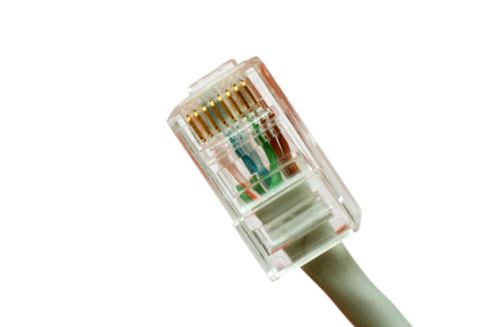
 Network Cabling, Data Cabling ,Cat5e, Cat6/6a CablingWhat is the difference between a Cat5 and a Cat6 RJ45 connector?

The easy answer is:  they are both cable connectors with a standard network plug and socket, often called an “Ethernet jack”.

Cat 5 and Cat 6 are UTP, or Unshielded Twisted Pair cables.  The difference defines the cables as Category (Cat) 5 or Cat 6 UTP cable. Both are terminated by RJ45 connectors.
Read More
Network Cabling,data cabling,,DC

Cabling Issues

11 Apr 2013

data cabling,,DCOne of the most important things about cabling is to purchase cable not just for what you’re using now but for what you may run in the future.   A rule of thumb is to install the highest-grade cable that your budget allows.


The standard is Ethernet. That means there are two basic types of cables to use: copper Ethernet and fiber optic Ethernet. Copper Ethernet cabling is generally used to connect the data center equipment to the end-user, while fiber optic cabling is used to network the infrastructure and to

Read More

IT Support,Data Cabling,Atlanta GA

A Guide to Network Cabling

22 Mar 2013

Cat 6While WI-Fi and other wireless network technologies have improved greatly over the years, nothing beats the reliability and performance of a wired network in your home or business. One challenge that people face is what kind of cable they need for their needs.


Although there are dozens of network cable types, the fact is only 3 types of network cable is commonly used in home and small business networks: Category 3 (Cat3), Category 5 (Cat5), and Category 6 (Cat6).

Read More

Network Cabling ,Data Cabling

What is “Alien Crosstalk”?

8 Mar 2013

 Network Cabling, Data CablingNo, it’s not ET calling home. “Alien Crosstalk” is defined as “unwanted signal coupling from one balanced twisted-pair component, channel, or permanent link to another”.


Alien crosstalk is not generally affected by common noise from motors, transformers, or florescent lighting fixtures. Alien crosstalk is specified as “a parameter for cabling to approximate the energy present when all cabling pairs are energized”.

Read More

cat6-cabling,data cabling,

Shielded or Unshielded Cat6 cable?

22 Feb 2013

cat6-cabling,data cabling,With high bandwidth applications and network systems venturing into factory environments, the need for shielded Cat 6 cable has increased. In these new areas of installation, the environment where the network cable is run has large amounts of EMI (Electro-Magnetic Interference). Although Cat 6 cables have improved cable twist to reject noise and handle gigabit Ethernet this by itself is not enough for high EMI environments. A shielded Cat 6 cable helps in high EMI installations. These high performance cables ensure the data within the cable will be protected from EMI, resulting in higher speeds and better data transmission.


Grounding Necessities for Shielded Cat 6 cables

Shielding helps protect the data from electromagnetic interference from outside sources that  could alter or weaken the signal traveling through the copper in the cable. The shields of the two connectors are electrically tied together by the drain wire. However, they will only become grounded if the jack they are placed in has its shielding tied to ground.  If you are setting up a network with Category 6 shielded cables, you should use Cat 6 shielded couplers and jacks.


Installation caveats


Category 6 and 6a cable must be properly installed and terminated to meet specifications. The cable must not be kinked or bent too tightly (the bend radius should be at least four times the outer diameter of the cable). The wire pairs must not be untwisted and the outer jacket must not be stripped back more than 1/2 inch (1.27 cm).


All shielded cables must be grounded for safety and effectiveness and a continuous shield connection maintained from end to end. Ground loops develop when there is more than one ground connection and the difference in common mode voltage potential at these ground connections introduces noise into the cabling.

network cabling,Cat6a Cabling in Atlanta

All About Cat6a Cable

11 Feb 2013

Cat6a Cabling in AtlantaIt was once thought that copper cabling would never support speeds above 1 Gig, but Augmented Category 6, or Cat6a - has proven that wrong. Copper still lives and copper cabling may still be around at 40 Gig.


There has been much debate about which is the better option for supporting 10 Gig: Cat6a Unshielded Twisted Pair (UTP)  or Cat6a Shielded Twisted Pair (STP)?  Both solutions have their uses, and some key information can help installers make informed decisions.


Standards and Alien Crosstalk


The IEEE released the 802.3an 10GBASE-T standard in June of 2006, which specifies 10Gbs data transmission over four-pair copper cabling. The Telecommunications Industry Association (TIA) then began work on transmission performance specifications for the cabling. They published TIA Standard 568-B.2-10: Transmission Performance Specifications for 4-Pair 100 Ohm Augmented Category 6 Cabling in February 2008.


The new Cat6a standard extends the frequency of Cat6a cables to 500 MHz with specifications for a new performance parameter called Alien Crosstalk (ANEXT). Cat6a cables are fully backward compatible with all previous categories, including Cat6 and 5e. NEXT is crosstalk that occurs between adjacent cables and connecting hardware. The higher frequency signals of Cat6a makes ANEXT the limiting noise source for Cat6 and Cat5e systems.


Cat6a UTP vs. STP


Due to its ease of installation and familiarity among installers, Cat 6A UTP is today’s cabling of choice as it can support future bandwidth needs and 10Gb/s performance. In addition, the shield n the STP cable helps prevents electromagnetic and radiofrequency interference (EMI/RFI) on twisted pairs, helping eliminate the effects of noise from sources like machinery, generators, or medical imaging equipment, making STP systems the  choice for industrial and healthcare facilities.


As most residential systems are not faced with EMI/RFI challenges, so UTP is still the recommended cabling type for home installations.

Cabling, Installations, Network Cabling

Cat6 Installation Tips

9 Jan 2013
 Data Cabling, Cat5e Cat6/6a CablingAlways study and document the required cabling layout and the distances between the equipment to be cabled before starting a Cat6 cable installation.
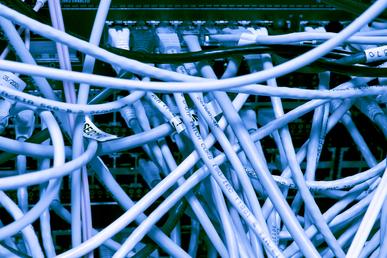
Refer to ANSI/TIA/ EIA 606 Document for color coding the different functions used in the system guidance. Use either PVC or plenum cable as required depending on where the cables are run. Fiber optic and/or copper cable may be required depending on the transmission speed and type of equipment.
Read More
Cabling Network Cable Twisted Pairs

Cat5, 6 and 7 – What the Numbers Mean

2 Jan 2013

Category 6 Network Cable Twisted PairsCategory (Cat)5, 5e, 6 and 7 are different standards for cables used to transmit data through networks. All are twisted copper cables. The difference is based on their performance level.


Cat5 has become the world standard for connecting Ethernet devices. It is inexpensive and very effective; making it the most commonly used cable for connecting Ethernet devices. There are  two types, the Unshielded Twisted Pair (UTP), and the Screened Twisted Pair (SCTP).  SCTP adds a protective covering to protect against interference.  Cat5 is ideal For long distance communications as it is rigid and has the capacity to support 10-100 Mbps and 100MHz.
The gradual shift from standard 10/100 networks to gigabit networks has challenged Cat5 as it  cannot support high speeds. This led to an upgraded version, Cat5e.


Cat5e was developed to makeCat5 compatible with gigabit networks and provide extra protection from interference. However Cat5e does not completely remove interference, which results in slow and often poor performance, but Cat5e does makes networks more reliable and faster.

Cat6 is more advanced than Cat5 and Cat5e.  Like Cat 5 and 5e, it uses 4 twisted pairs of copper cables, but with much better performance. The difference comes from a longitudinal separator that keeps all 4 wires separate from one another, reducing interference or “cross talk”, and a faster rate of data transfer.  Cat6 can be used in any network that employed Cat5 and Cat5e. Cat 6 is the next level standard for Ethernet connection.

Cat7 is the next generation cabling device for Ethernet connections. It improves internal signaling and exterior protection over Cat5 and Cat6 and can support 10gigabit connections  adaptable to standard Ethernet connectors.

Cat5 Cat6 Network Cabling,Washington DC

The Good, the Bad, and the Ugly: Cabling Lessons Learned

14 Dec 2012

Cat5, Cat6 data cables ,connected to serversA magnetic field when running low voltages. Unfortunately, when this unshielded cabling creates a magnetic field created. Any electrical cabling bear by disrupts communication, slowing transmission or preventing Network cabling is a tricky. Even with a solid background, technicians without adequate knowledge and training can make mistakes that may shut down an entire system. Here are some typical mistakes seen in network cabling.


Plan for the Future.  Cat5 may be the cheaper option, but can cause problems when upgrading is needed. Install Cat5e or Cat6 cables with options for upgrades to save labor costs.


Don’t Mix and Match. Twisted pair cabling was often out of the price range for many companies, so priority was given to data, while voice had with cheaper cabling. Now, VoIP has made voice equal to data in importance and need. Fortunately, a typical VoIP phone has a built-in Ethernet connection or pass-thru that is compatible with almost any data cable, which decreases installation costs.


Don't put Electrical Cables Next to Data Cables. Data cables use twisted pairs of wires inside that help produce transmissions altogether. This generally happens when the cables are running parallel, so if your cable is near a power line, lay them perpendicular to the power line.


 Not Laying New Cable When You Need To. Ethernet switches are convenient, but can be misused. Mini-switches are often added to provide a few extra ports; but this can cause bottlenecks and instability. Add extra cable instead, if more network resources are needed.


Forgetting Cable Management. “Ladder racks” add extra cost to an installation, but they also make the installation look better, run better, and easier to maintain and update. Also, don't forget to color code or label your cables, so technicians can actually find the right cable later.