About Stu Kushner

Stu Kushner began his career at Boeing Commercial Aircraft and then on to Hexcel and Case/Rixon where he specialized in CAD/CAM (computer design and robotics). In 1986, he started Progressive Office. The earliest years were about networking small businesses and providing IT support. But since 2008, the company has concentrated exclusively on providing office network cabling solutions.

Network Cabling ,data cabling

Simplifying Your Office with Network Cabling

28 Jan 2011

Network Cabling ConfigurationInstalling network cabling in your office will result in a number of added benefits but it’s what networking will eliminate that could have the biggest impact in some environments.  The increased speed, increased performance and added security of a network are amazing attributes, but the ability to instantly share pertinent information is a feature that can truly enhance office operations.


In order to share programs or data in an environment where PCs operate independently, data needs to first be transferred to a back up medium before it could be shared with other users.  Employees would have to take the time to copy an important file or program to a CD or disk and

Read More

Home Network Cabling,data cabling

Benefits of Installing Network Cabling in Your Home

26 Jan 2011

Data Cabling,Home Network CablingMany homeowners question whether or not installing network cabling in their home is a necessity.  If you’ve got multiple computers and multiple computer users in your home, networking your PCs and equipment can have a number of advantages.


One of the single biggest advantages of installing network cabling in your home is that it gives you the ability to share equipment, data and programs between computers.  A non-networked home that has three regularly used PCs might also require three separate printers and three separate scanners.  Installing network cabling allows all three PCs to access the same printer, scanner or just about any

Read More

Office Cabling, Network Cabling

Improving Customer Service by Installing Network Cabling

24 Jan 2011

Installing network cabling in your office environment can have a profound effect on your employees’ ability to communicate with one another and with customers.  This can give your business a unique edge over the competition that could result in a more loyal following and increased revenue.


Having all of your office PCs and equipment networked gives every employee access to important business application and pertinent customer and product data. Even employees who perform work from off-site locations can have the same access to information that your “in house” employees do which will allow them to efficiently and effectively fulfill customer needs.

Read More

Network Cable Security

Make Your Business More Secure with Network Cabling

21 Jan 2011

Network Cable SecurityEvery day you gather more information that is critical to the success of your business.  Sales and customer service people compile new customer contact information, inventory is managed, quotes are generated and sales information is tallied.


Tying all of your office computer equipment together in a network gives you the opportunity to

Read More

Office Cabling, Network Cabling

Reduced Costs Through Network Cabling

19 Jan 2011

 Office Cabling ,Network CablingUpgrading to a system that allows for more users and has a higher level of performance is often viewed as something that will ultimately cost a business money.  In all reality though, beyond the initial cost of materials and installation, implementing a network cabling system that connects all of the equipment in your office can actually work to save you money.


Installing network cabling into your business environment will allow all employees to share access to a single piece of equipment as opposed to buying a separate piece of equipment for each user.  If your business requires

Read More

Office Cabling Network Cabling

Residential Network Cabling Solutions

17 Jan 2011

 Office Cabling, Network CablingHome networking is essential for quick and convenient access to music, data and video files and for the ability to share access to important pieces of equipment like scanners and printers.  A home that contains multiple PCs for personal, school and work can greatly benefit from residential network cabling.


Just because your home has fewer PCs than your office and there are fewer people using them, it doesn’t necessarily mean that your residential networking cabling will be an easier project.  Don’t assume that just because your walls don’t contain metal studs and that your floor isn’t poured concrete that your home network cabling job will be a walk in the park. 

Read More

Office Network Cabling,Cat6 Cable, Network Patch Cable

Determining Your Office Network Cabling Needs

14 Jan 2011

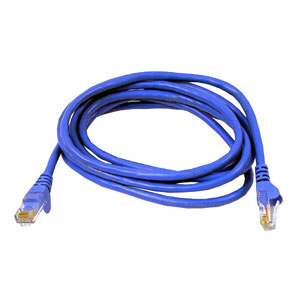
Office Cabling, Network CablingNetwork Patch CableA faster office is a more productive office right?  That means, because you wish your computer equipment to operate at the speed of light, that Cat6 cable is the only way to go – or is it?


Just because you are making upgrades to faster equipment office wide, it doesn’t necessarily mean that you’ll have to invest in Cat6 cable.  It’s true that Cat6 has twice the bandwidth of Cat5 and that it is far superior in performance than either Cat5 or Cat5e.  Cat6 is also capable of transferring data at a much faster rate, but in most regular office applications Cat5e is more than capable of handling the required workload.


Your new computers, internet service and office communication system may be much faster than the one that you are replacing, but that’s not the only thing to consider when selecting a networking cable.  If you aren’t transferring exceedingly large amounts of data or operating virtual PCs, Cat6 cable may be much more cable than you need and cost much more money than you need to spend.

Read More

Network cabling,Office Cabling in DC

Upgrading or Adding to Your Network – Progressive Office can Help

12 Jan 2011

Office Cabling in DCThere could be any number of reasons that your voice and data system may be changing.  You might be adding more PCs or phone lines; adding a dedicated server to store critical data or adding scanners or printers to more adequately serve customer needs.


In order to ensure a seamless transition into your larger, upgraded network there’s a very good chance that you’ll need upgrades or

Read More

Microsoft brought back Copy Protection

3 Sep 2010

During the early days of the PCs in the 1980s, software manufacturers battled with consumers over copy protection.  Floppy drives and the 5.25" floppy made it possible to very easily create illegal copies of software. This resulted in a boom in training books that were targeted to buyers of pirated software. The leading word processing software, the application that invented the term "WYSIWYG" was called Wordstar. Wordstar rapidly grew into the leading and best-selling word processor of the early 1980s. And as it grew in popularity, many users were also copying the software.


Wordstar decided to copy-protected their product just as WordPerfect was gaining in popularity. WordPerfect was shipping without copy protection and ultimately became the leading word In the Lotus 1-2-3 followed suit and also abandoned copy protection. In the highly competitive software world of the 1980s, the most successful companies were learning that copy protection was bad for business. Wordstar disappeared many years ago.

Network Cabling, Data Cabling

Windows 7 Was Not My Idea

23 Aug 2010

Network Cabling,Data cablingSo, I bought a new Acer Aspire One Netbook for my wife and for home use. It is a terrific little machine. It comes with Windows 7, 1gb RAM, a 160gb hard drive, 3 USB ports, external video jack, 10" LCD screen, 100mb ethernet, WiFi, cam and a microphone for only $325. And it weighs just over 2 pounds.


But when I went to install my printer to the machine I ran into a problem. I have a HP LaserJet 1320TN at home. It has been a terrific printer. It has 2 trays and it prints on both sides of a page. It has never had a single problem. I think the printer is about 7 or 8 years old. So, I get out the CD that came with the printer and I copy it onto a thumb drive because the netbook does not have a CD drive. Then I try to install it but it just doesn't work. The printer software is too old.

Read More

1 31 32 33 34 35 39