Structured Cabling,Washington DC New York City

Basics of Riser Cables

6 Mar 2015

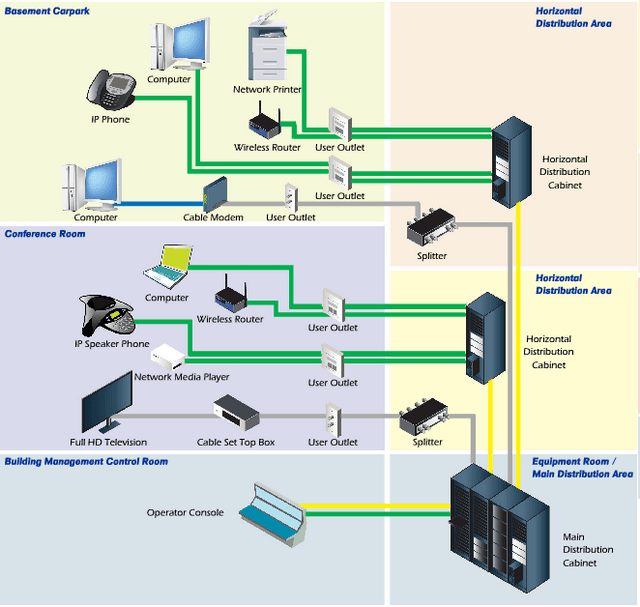
Structured Cabling,Network Cabling Data Cabling Riser cables were designed for non-plenum vertical applications like between the floors of multi-story buildings. They are also described as backbone cables. These cables serve as the main conduit of a distribution system for data, video or voice. It originates from the point where communications go in through a particular edifice.  This cable comprises part of the structure backbone. Other components of this facility are the cable corridors, telecommunications cabinets, equipment rooms, correlated hardware, and support facilities. This cable variety must be fire resistant in accordance with electrical codes. Nonetheless, specifications are not as stringent compared to plenum cables.


Understand its Uses


Riser cables may be used for different forms of data communications which also includes CCTV video access. It is ideal as well for voice communications. One major concern is that requirements vary for each service. Hat is why planning can sometimes be quite complicated. Building managers are often pressed to predict their requirements given limited time and expertise. Quite often they will recommend creating split riser systems for multiple applications which follow parallel routes through the corridors, closets, and equipment areas.


How do you select the medium?


Perhaps, the primary concern is to stay within budget.  You can expect system designers to resort to trade-offs in delivering a broad assortment of services within the backbone system. Other factors that may influence their design are the following:


  • Provide an adaptable medium in relation to supported services

  • Identify the necessary useful life span of backbone cabling

  • Consider the technical needs of users


Standards are on hand to serve as a guide in the design of riser cable systems. There are appropriate benchmarks for optical and copper cable backbone structures. Some of the backbone cable categories include:


  • Copper-shielded and unshielded twisted-pair or UTP cables

  • Coaxial and twin axial cabling configurations

  • Single mode and micron multimode optical fibers


Physical locations supporting riser cables take into consideration the telecommunications service entrances and adjacent equipment rooms containing the main cross-connect. This can extend to the telecommunications closets that serve a particular location, intermediate cross-connects that serve a number of telecommunications closets, or horizontal cross-connects for a remote telecommunications closet or just one level of the building. The telecommunications cabinet is the point of interaction between backbone systems and parallel (same floor) wiring.


Riser cable systems in multiple-story buildings need to pass through equivalent closets making use of connecting conduits between the floors. Said design provides each floor access to the backbone and allows circuits to be distributed to all levels. The conduit and sleeves should go higher than the floor level by at least an inch and fitted with fire-stopping material. These should also adhere to electrical codes. The riser or backbone cable system essentially acts as the core of telecommunications infrastructure.
 
Data Cabling,Structured Cabling, Cabling Design-Washington DC

Things to Avoid in Running Network Cabling

28 Feb 2015

What can cabling that has not been installed properly do?


network cabling,Data CablingIt can lead to a lot of negative outcomes such as paralyzed network performance, maintenance troubles and hidden costs. Network cabling can be  especially troublesome if it is installed by individuals without the proper knowledge and tools. When it comes to twisted pair cabling, there are many factors that you need to consider.

In the past, many companies installed different cable systems since twisted pair cabling was expensive. At present, full installation is still costly although a greater part of the expense is labor since raw cables is not pricey. Cable management is another concern.

Read More

Structured Cabling, Cabling, Washington DC

Practical Pointers in Network Cabling

20 Feb 2015

StructuredCablingFiberOpticsCat6a10GigNetworking cabling is not a simple task. It entails expertise and attention to detail. What are valuable insights that network technicians need to know about for effective cabling and installations?


Cable length is essential.


The telecommunications standards prescribed by the Telecommunications Industry Association and Electronic industries Alliance (TIA-EIA) states that maximum distance end to end of cables should be no more than 100 meters.

Read More

CAT 6a,network cabling, DC

Designs of Optic Fiber Cables

12 Feb 2015

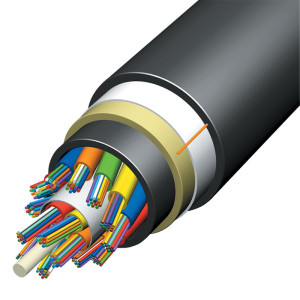
network cabling,Data CablingmOptical Fibre CableOptical fiber cabling is made up of a fiber core and a protective layer. The shield is typically coated with a polymer. It protects the cable from damage and does not contribute to optical wave guide properties. The coated fiber is a durable synthetic resin serving as a support for the cable’s core. Protective jacket layers are added depending on the cabling application.


Fiber over Copper


Fiber has benefits over copper. Fiber optic transmission does not emit Radio Frequency Interference or RFI. This guarantees secured communications since light waves can't be easily intercepted. On the contrary, copper wires give off signals that interfere with other electronic equipment. That is why utility firms now run power lines with fibers

Read More

Structured Cabling,Office Cabling

Cabling Pointers for Effective Data Center Management

5 Feb 2015

Structured Cabling,Office Cabling,datac enterThe data center supports the lifeblood of corporate enterprises. Communications stop due to the malfunction of this facility. Unfortunately, multiple issues can affect the data hub and incorrect cabling can be one of them. Planning is the key to boosting the efficiency of data center cabling.


 Here are some things to consider:


  1. Measure cables with care. Otherwise, you produce a twisted “rat's nest” and an unnecessary waste of money.

  2. Put a label on both tips of your cables which include patch and short runs. This will be useful if you need to test a cluster of circuits. It will not be confusing if you unplug several patch cables. You know where each single cable is connected. The marking system must be consistent at all times.

  3. Never rush on termination of cables. And redo in cases where cables lose connectivity. Avoid purchasing and using cheap products. You will end up spending more in the long-term.

  4. Test the cables first and make sure it passes the mark for continuity.  If not, you have to do it all over again. And always use a high-quality tester to avoid unwarranted work.

  5. Patch cables must be kept short. Remember that rack servers are only one foot away from each other. Patch cables with a length of three feet are definitely not appropriate. Combine testing and terminating capabilities to make sure that patch cables connect accurately. Additional lengths will cause a lot of twisting.

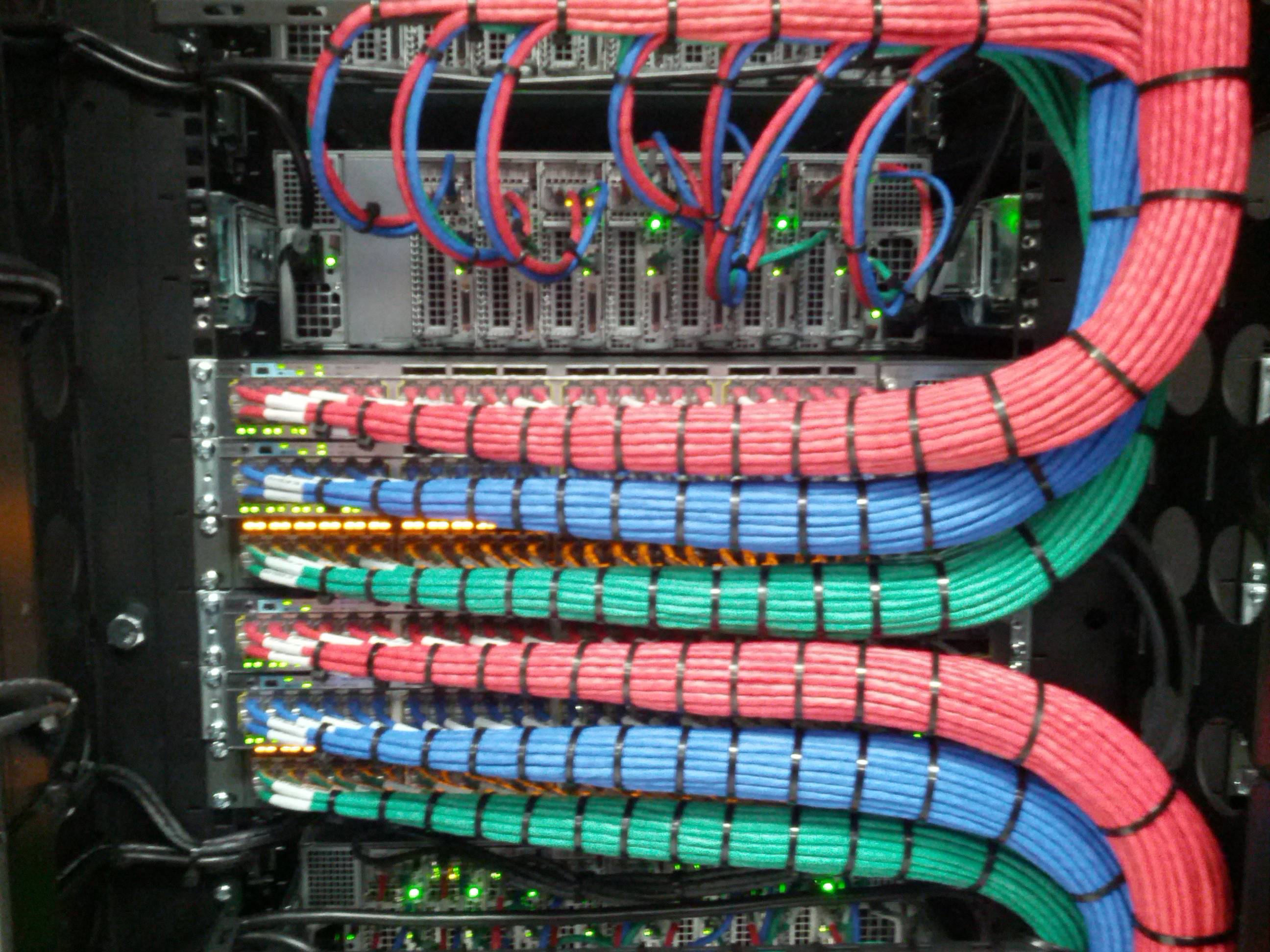
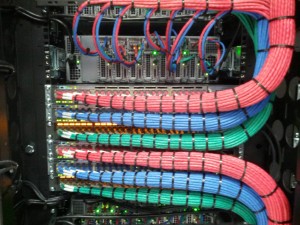
  6. Come up with a color coding technique. A single color is ideal for patch cables and cable runs. However, it is possible to utilize specific color cables for specific purposes. Avoid random colors. It will be easier to follow cable functions and resolve problems if your color has a purpose. Blue for data, white for voice is a common standard.

  7. Your design must be cable-friendly. Do not put a rack in a place where it is not possible to run your cable effectively. You may end up with cables dropping from the ceiling or scattered on the floor. Expansion should also be in your planning so you know when and how to make adjustments.

  8. Separate electric wires from Cat5/6 cables. Power lines can distort communications. The effects will be to have connection and data transmission issues that can result in data corruptions.

  9. Be careful about excessive temperature. Make sure that the cables are cool and not hot since this can result in cabling decomposition. The data center should be designed in a way that servers and networks are always at a comfortable temperature.


If you need help in designing your structured data cabling system, please feel free to call or contact us. We do free cabling site proposals.

Structured Cabling,,Office Cabling.connectors

Important Facts About Cabling Infrastructure

23 Jan 2015

NetworkStructured Cabling,,Office Cabling.connectors cabling that has not been installed properly may result in various communications issues. Even minor problems such as a connector that has not been terminated properly can prevent Power over Ethernet from performing well.


Wiring Standards


See to it that you use appropriate wiring patterns which are T568a and T568b. Refrain from bringing together T568a and T568b in the same cable. And always use premium quality Cat6 or Cat5e cables. We prefer solid over stranded wire.

Read More

Structured-Cabling,Data Cabling

Essential Issues in Design of Structured Cabling Systems

13 Jan 2015

Structured-Cabling,Data CablingStructured cabling systems (SCS) refers to the local area network  cabling system designed exclusively to fit a company's requirements. It combines data, voice, video, and management systems sometimes including alarm and security. SCS insures that all of this information is transmitted promptly and efficiently. The structured cabling system normally includes transmission products with engineering design rules that create a stable transmission system.


Network Foundation


The structured cabling system is said to be the groundwork of a successful building and office setup. It is also the fundamental foundation on which all other equipment relies on.

Read More

Network Cabling ,Data Cabling, Fiber-optic cable,New York City

Unique Properties of Fiber Optic Cabling

30 Dec 2014

Network Cabling ,Data Cabling, Fiber-optic cableFiber optics is capable of resolving many issues in data communications. However, computer data is normally transmitted over ordinary copper cables because it's adequate at lower speeds and shorter distances. It is not advisable to utilize fiber cable in these ordinary instances because of the high costs.


Fiber is impervious to electromagnetic interference because the signals are transmitted as light impulses. That means that Electromagnetic Interference (EMI) is not possible. Light waves are not effected by magnetism. This type of impediment can happen in coaxial and Cat5/6 cables because electricity can interfere with data signals over copper wires. Magnetic fields produce electrical current and this electromagnetic Interference is noise that can scramble data.


Fiber optic cabling also is much better at providing security of data since electromagnetic fields are not emitted around optical fibers. The data is restricted within the structure of the cable making it impossible to tap signals being communicated without cutting across the fiber. Emissions can not be easily intercepted. Hence, the fiber is by far most secure channel for carrying sensitive data.


Fiber is also a “non-conductive cable” because there is no metal in its design. It's a highly purified glass fiber.  While copper is a conductive cable that can attract power surges and unwanted current. With fiber, outdoor varieties are costly because these call for special strength. Therefore, fiber optic cable is usually more cost-effective for indoor use. With copper, it is also important to get rid of the current commonly known as ground loop. The metal cable can run into signal transmission distortions due to slight transmissions in electricity.


Fiber optics also does away with threats coming from sparks. The transmission of signals can be hazardous because of this phenomenon. Although the spark itself is not dangerous, it can lead to greater problems especially in industrial and chemical plants where the air is polluted by possibly dangerous vapors. Fiber cable does not generate sparks because it carries no electrical current.


Installation of fiber is less difficult because of its small size and flexibility. And fiber optic cables can pass along the same route as electric cable without producing any noise. The size, lightness and elasticity of fiber optic cables also makes them suitable for short-term or portable installations. And they transmit signals over longer distances too. Amplifying the transmission capability of copper wire cables makes them more unyielding. Thicker copper cables are also hard to mount in spaces where the cables have to pass through cable conduits and concrete walls.


Fiber optic means higher bandwidth too. It has the capability to transmit high-speed signals over lengthy distances without repeaters, unlike copper cables. The fiber optic’s range is not infinite but it is way more than copper cable.


If you need help in figuring out the ideal cabling topology, contact us or call 202-462-4290 for a free on-site survey and proposal.


Network Cabling ,Data Cabling,CAT2 6A UTP

Issues to Avoid with Cat6a Cables

22 Dec 2014
Network Cabling ,Data Cabling,CAT2 6A UTPA newly popularized cable is Cat6a. It is the new “cable on the block” which has prolonged the life of copper cabling. Cat6a has the shielded twisted and untwisted pairs with different advantages and features. It supports Gigabit Ethernet up to a hundred meters. However, you need to understand and cope with several issues.

Contentions


The size of Cat6a cable is larger than Cat5e. Copper is inherently unreliable due to Bit Error Rates or BER. This is why manufacturers have designed Cat6a cables with a smaller cross-section. It takes up less space in the tray. Yet, this space is needed to minimize crosstalk between cabling pairs. The protective shield in Cat6a cable adds to the expense.

Electricity and Mechanical Facets


Aside from the electrical issues, Cat6a Untwisted Pair (UTP) is fabricated with bigger conductors. It has more rigid twists compared to Cat5e and Cat6 and these heavier conductors plus large and stiffer jacket combines to make for more difficult cable installation. Besides, the external diameter of the UTP means that the Cat6a cable takes up more room in the trays and conduits.

Electrical and mechanical issues should not be overlooked since this can affect performance. The physical stability of Cat6a is essential to its transmission performance. Cat6a can be more sensitive to degradation of signal compared to Cat5.

These may be produced by the following:


  • Cable twisting generates signal reflection.

  • Excess insertion pressure on cables can cause poor connector performance.

  • Weakness of RJ45 (communications) connectors.


For example, if the cable is wedged in a door or compressed or squeezed by a heavy object, can result in sporadic network problems which may not be easy to detect. Nevertheless, Cat6a functions at enhanced specifications compared to Cat6 UTP. Considering all of these issues it may seem that fiber cable will become the ultimate future for 10 Gigabit Ethernet. It is up to users and the market forces to make the choice.
Network cabling, NetworkTopologies.

Essential Facts About Cabling System

14 Dec 2014

Network cabling, NetworkTopologies.Your office cabling system is costly and complicated investment. It's also a commitment to an office design and structure that is not easy to modify. If you add more workstations later, new cabling might be needed.


Most offices have a structured cabling topology that hardwires the cables from wallplate to patch panel. With this system, modifications are less likely because the initial installaiont includes a planning process that should anticipate some expansion. By pre-wiring potential locations in an existing or newly-constructed building, future moves, additions or alterations are avoided. You can just transfer patched cables in the wiring closet. Also, it is critical to number the wallplates to match the corresponding patch panel number. This will make it much easier to relocate a workstation or to troubleshoot a connectivity problem.


There are several sub-systems to consider:


  • The Demark refers to the point where the Internet Service Provider's (ISP) data line comes to an end and hooks up with the cabling in the building.

  • The equipment room serves as storage for all apparatus and wiring integration points.

  • Backbone cabling are high-speed cables (typically Cat6 or fiber) that connect various floors or wall closets.

  • The horizontal cabling for links up the network space to individual wallplates. These are done through conduits and ceiling spaces on every level.

  • The telecommunications enclosures are wall or floor mounted cages that hold the network equipment; primarily the patch panels ands switches but also sometimes the server and Uninterruptible Power Supplies (UPS) too.


Installation and design of structured cabling is regulated by standards that identify the following:


  • Network data switches

  • Offices layout for voice & data communications for Cat5e or Cat6 cable

  • Fiber Optic cables for backbones

  • Modular connectors at the wallplate


These components will guide the layout of cables in order to fulfill the data access requirements of your office. All of the cables start at the patch panel on a mounted rack (about 19 inches wide) in the wall closet. From there, they traverse through the drop ceiling and down the walls to individual wallplates. Quite often a wallplate will host 2 or more connections. At the wallplate a short patch cable, usually 7 to 14 feet in length wil connect the computer, phone, printer or other networked device.


All cabling standards require that all of the eight conductors in Cat5, Cat5e and Cat6 cables are inter-connected in a precise color-coded pattern. The network cable connects each device but some devices can share a single cable. This is true for VoIP phones. Most VoIP phones have a jack for the network cable and then a jack on the phone for connecting the computer. This pass-thru enables the two devices to share one connection.